How to Access Your 1098-T
1. Log in to My Union at http://my.unionky.edu with your Union College user name and password.
.
2. Click the Current Student button.

.
3. Click the Student Billing button.

.
4. Click the 1098-T button.

.
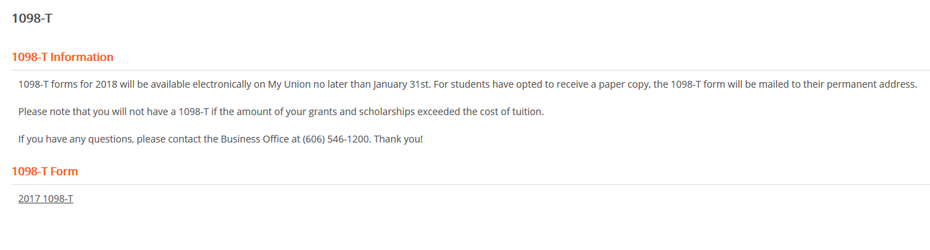
6. Under 1098-T Form, select the 1098-T that you would like to view.
.
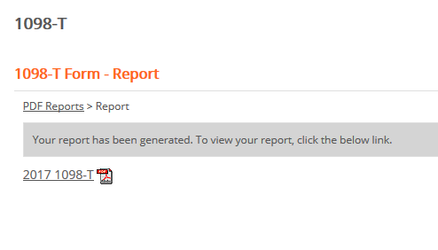
7. A PDF of your 1098-T will be generated. Click the link to your file to view it.
.
If you have any further questions regarding the content of your 1098-T, please contact the Business Office at (606) 546-1200.
Need more help?
- 24/7 Phone: 606.546.1650
- Email: support@unionky.edu
- Walk-Ins: Black Technology Center Mon-Fri, 8am-4:30pm
, multiple selections available, Use left or right arrow keys to navigate selected items